


Have questions?
-
Guaranteed Best Price
Always the lowest price
-
In-House Experts
We know our products
-
Added Value
Mounting, Balancing
-
Nationwide Delivery
Free shipping Online $199+
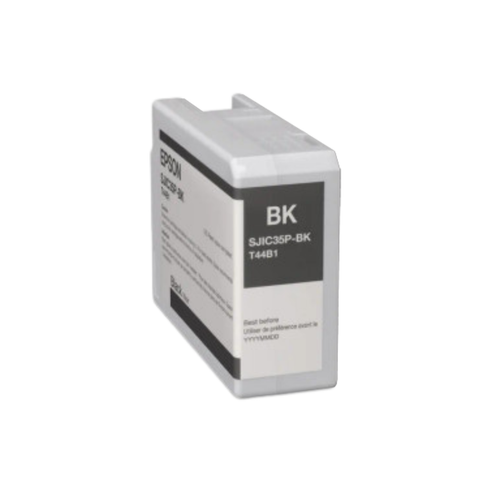
Epson CW-C6500 Black Ink Cartridge – Gloss or Matte – for C6510 & C6010 Printers
(No reviews)
Write a Review
Write a Review
Epson CW-C6500 Black Ink Cartridge – Gloss or Matte – for C6510 & C6010 Printers
$139.00 - $145.00 (excl GST)
SKU:
Epson-C6000IK
Brand:
Epson
Product Code:
SJIC36P-BK
Product Details:
| Ink Type | Pigment Ink |
| Compatibility | C6010A, C6510A, C6010P, C6510P |
| Ink Cartridge Volume | 80 mL |
| 1 Set Color | Gloss or Matte Black |
Product Specs – Epson Label Printer Cartridges
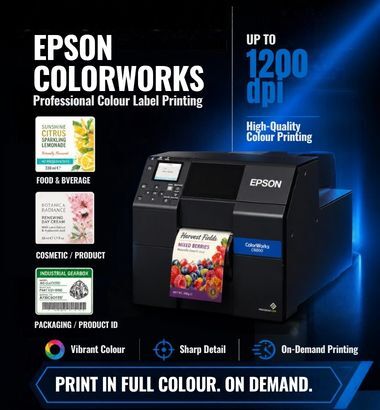
Epson ColorWorks C6010A & C6510A ink cartridges utilise Epson-engineered PrecisionCore® TFP printhead technology, delivering ultra-sharp text and precise barcodes. With variable droplet sizes and a high 1200 x 1200 dpi resolution, they produce a wide colour gamut, vibrant and accurate colours, smooth gradations, and fine image detail. Whether producing complex informational labels or high-quality product labels, these cartridges are designed to deliver consistent, professional results across a wide range of applications.
Epson Gloss Black Ink Cartridge (SJIC36P-BK, T44C1) for Epson C6510 and C6010
The Gloss Black cartridge produces a smooth, high-shine finish that enhances colour depth and visual impact. It is ideal for premium product labels, retail packaging, and applications where a polished, professional appearance is required. It delivers durable, smudge-resistant output with excellent print clarity and strong visual impact.
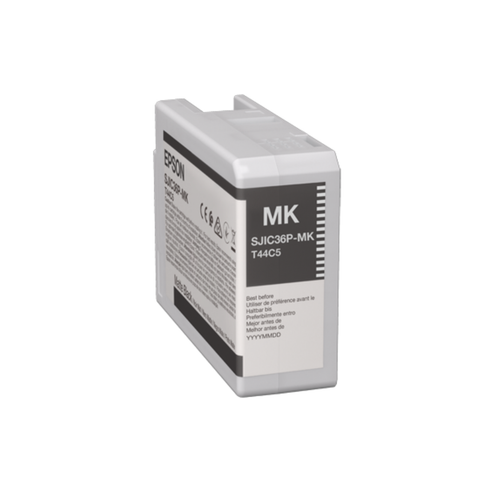
Epson Matte Black Ink Cartridge (SJIC36P-MK, T44C5) for Epson C6510 and C6010
The Matte Black cartridge delivers a non-reflective, flat finish with strong contrast and excellent readability. It is best suited for industrial labeling, compliance labels, and applications where durability and scannability are essential. It ensures crisp text, precise barcodes, and high-density black output for reliable performance in demanding environments.
Important Notice
It is essential to continue using the same ink type that your printer has been using from the beginning. If your printer has been using Gloss Black ink, you must not switch to Matte Black ink, and vice versa.
Mixing ink types or changing between gloss and matte can lead to print quality issues, colour inconsistencies, and potential clogging or damage to the printhead. This is due to differences in ink formulation and how each ink interacts with the printer system.
⚠️ Can you switch from Gloss → Matte or Matte →Gloss ?
Yes, but not by just swapping cartridges. You typically need a cleaning / flushing process so the ink system is fully cleared before changing ink type. This process should not be attempted manually, as incorrect handling may affect print quality or damage the ink system.
We recommend contacting Epson New Zealand Support or an authorised service provider to confirm and carry out the correct procedure.
To ensure optimal performance and avoid damage, always maintain consistency with the original ink type installed in your printer.
If you need Epson Colorwork C6010A and Epson ColorWork C6510A, check with us ! Free brochure and sample label provide!
Looking to print colour labels for your business by yourself? Check Colour label printers we have in stock. Various high-quality label printers with good price, you will find one match your need!
Looking to print color label for your business? Check the inkjet label we have. Inkjet paper label will provide high quality colour prints that looks beautiful and are attention grabbing. Inkjet Synthetics label not only have high-quality image performance, but also the water proof feature make the labels more durable and lasting even longer, ideally for outdoor using.
If you have other specific requirement, please check our website, contact marketing@paclabel.co.nz or call 09-636-9721.
Shipping
We dispatch orders from Auckland to destinations throughout New Zealand. Shipping charges are calculated at checkout.
Dispatch times depend on stock availability. Custom-made and printed labels require additional production time. Please contact us before ordering if you have an urgent deadline or require international shipping.
Returns & Exchanges
If you receive an incorrect or faulty item, please contact us with your order number and details of the issue so we can help resolve it.
If you have ordered the wrong size or an unsuitable product, please contact us before returning it. Return and exchange requests are subject to our Online Returns Policy.
Not sure which labels fit your printer? Contact us before ordering so we can help you choose the right size and roll format.
Need help? Call 09 636 9721 or email service@paclabel.co.nz.
For more information, please call 09-636-9721 or email marketing@paclabel.co.nz
-
What is difference between direct thermal and thermal transfer labels?
Firstly, direct thermal label is sensitive to light and heat, while thermal transfer labe is not. Secondly, thermal transfer printing need ribbon while working, direct thermal printing don't need ribbon. Check our blog for more details
-
Which one is better, direct thermal label or thermal transfer label?
Generally, thermal transfer labels are last longer and be able to use in environment with high UV level and heat than direct thermal labels. Direct thermal labels are easy to use and cost effective option, fit for short to medium lifespan using.
-
What is the best application for direct thermal labels??
The best application for direct thermal labels: Address Labels, courier labels, barcode labels, Name tag, Visitor passes and more.
-
What is the best application for thermal transfer labels?
The best application for thermal transfer labels: Warehouse shelf labels, handling labels, GHS labels, Inventory identification labels and more.
-
Are thermal labels waterproof?
Paper thermal labels are not waterproof, but the thermal synthetic labels are waterproof because made by synthetic material. Direct thermal BOPP are waterproof direct thermal labels, suit most direct thermal printer. Thermal transfer synthetic labels are waterproof thermal transfer label, suit for most thermal transfer printers .
-
What printer do I need to print labels?
The label printer is design for printing different materials of labels for multiple funtions. Defined by the way of working, there are three sub-categories for label printer: thermal transfer printers , thermal transfer printers and inkjet colour label printer. Barcode label printers and courier label printers are two types of direct thermal printer. The way of working are same with direct thermal printer. Defined by the size, there are mobile label printer, desktop label printer and industrial label printer.
-
What is a handling label?
Handling label is pre-print label for notice the courier staffs that this pcrcel needs special treamtment. It made by fluo colour paper, can lasting longer in high heat and moisture environment. Fluo colour will help draw attention that the parcel need special treatment. Comes with rolls, easy to peel-off and strong adhesive. Including different themes such as Fragile labels, Perishable labels, Battery labels, Saturday Delivery labels.
Related Products
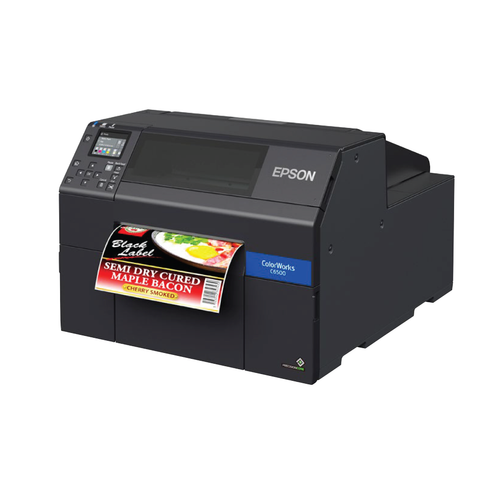
Epson C6510 Autocut Color Label Printer, Large Format Inkjet Label printing -- Free shipping
Product Details :
$6,399.00 (excl GST)
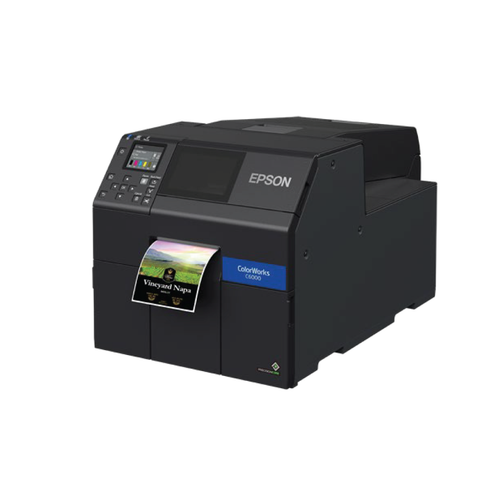
Epson Colorworks C6010A, 4 inch inkjet label printer -- Free shipping
Product Details :
$4,100.00 (excl GST)

Epson CW-C6500 series Cyan/Blue Ink Cartridge, for Epson C6510 and C6010 , SJIC36P-C
Product Details:
$139.00 (excl GST)

Epson CW-C6500 series Magenta Ink Cartridge, for Epson C6510 and C6010 , SJIC36P-M
Product Details:
$139.00 (excl GST)
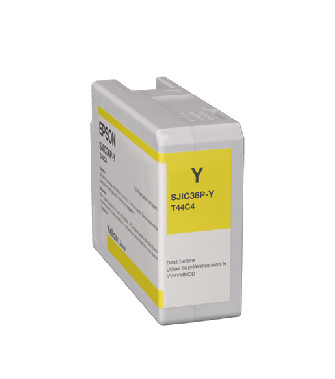
Epson CW-C6500 series Yellow Ink Cartridge, for Epson C6510 and C6010, SJIC36P-Y
Product Details:
$139.00 (excl GST)